> ## Documentation Index
> Fetch the complete documentation index at: https://docs.isotopes.ai/llms.txt
> Use this file to discover all available pages before exploring further.
# BigQuery Row-Level Security
Row access policies control which rows of a BigQuery table each aidnn user can see. A policy is a SQL filter attached to a table on the BigQuery connector, and aidnn applies it automatically to every query that touches the table. The result: the same question returns different rows for different users. Policies are stored in aidnn, not in BigQuery — nothing changes on the BigQuery side.
## How it works
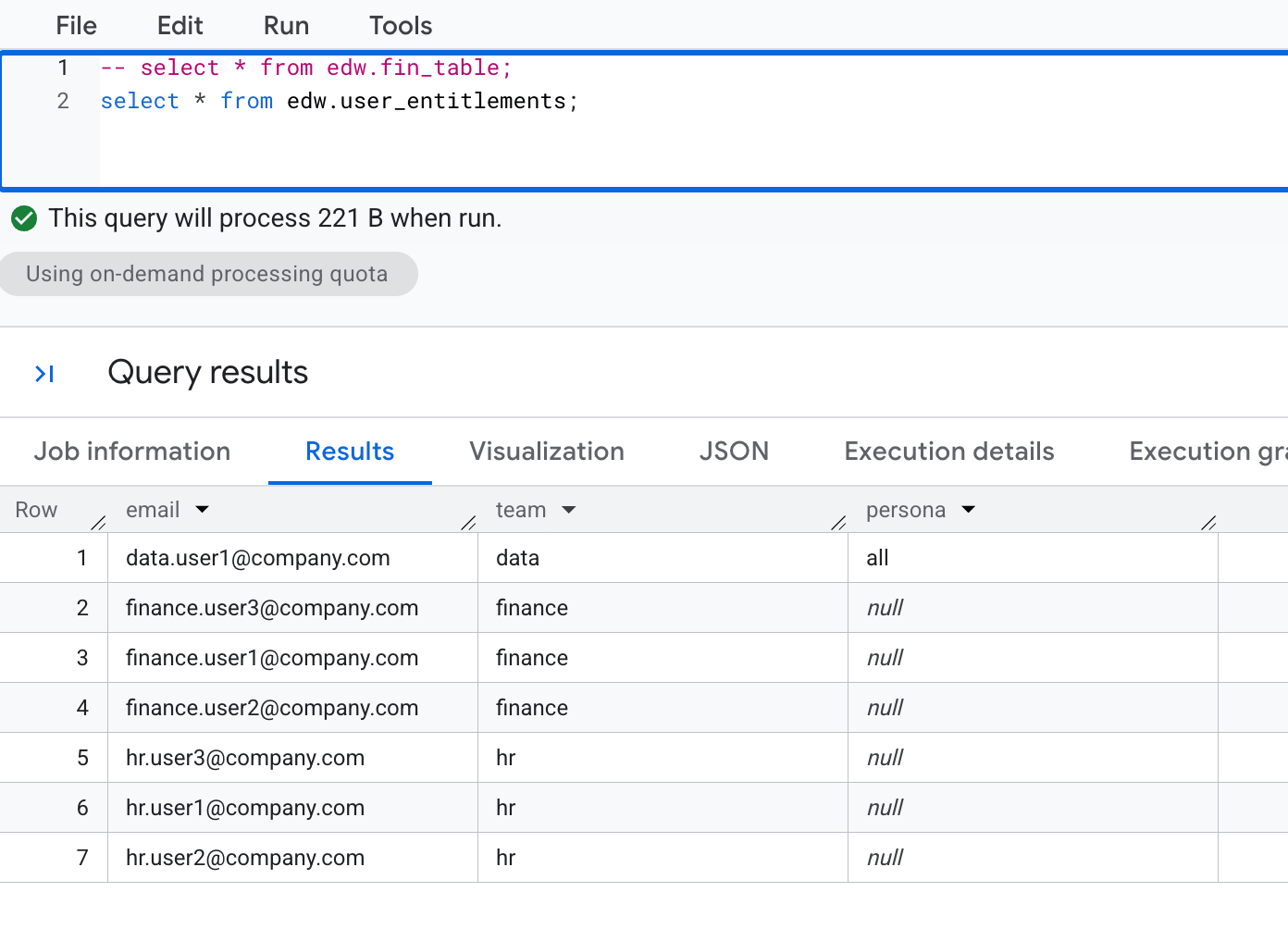
* **Entitlements live in a BigQuery table.** A table (for example, `user_entitlements`) maps each user's email to the team whose data they can see. A persona column marks the exceptions — users with the **all** persona see every row.
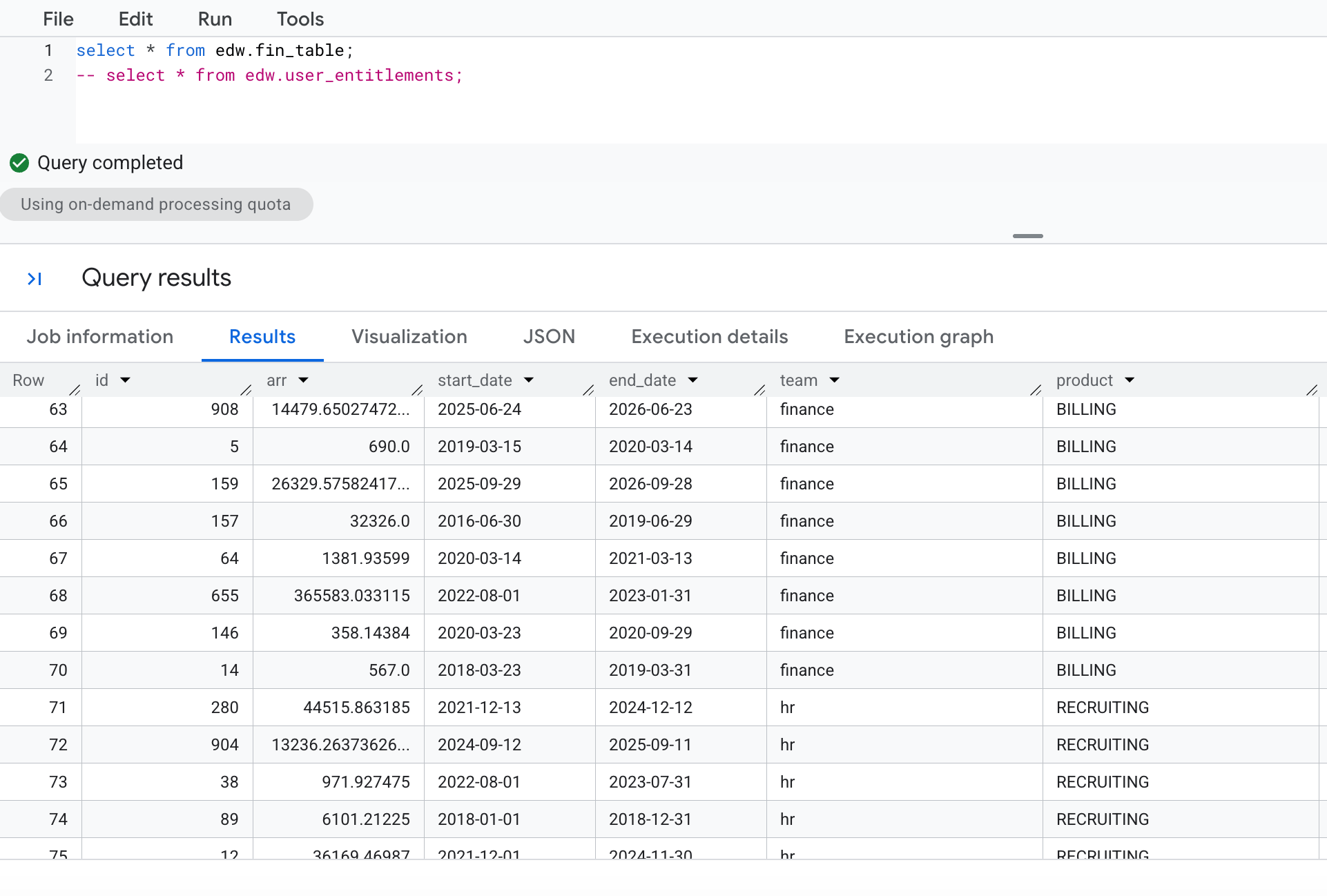
* **The protected table carries a matching column.** The table you want to protect (for example, `fin_table`) has a `team` column. A user sees a row only when their team matches it.
* **aidnn applies the filter on every access.** Whenever the table is queried — from a notebook or a published dashboard — aidnn rewrites the query with the policy filter.
## Quick walkthrough
The rest of this guide walks through an example with two teams and three users:
| User | Team | Persona | Sees |
| --------------- | ------- | ------- | -------------------- |
| `hr.user1` | hr | – | RECRUITING rows only |
| `finance.user1` | finance | – | BILLING rows only |
| `data.user1` | data | all | every row |
## 1. Store entitlements as a table in BigQuery
The `user_entitlements` table records this mapping — one row per user. Because entitlements are ordinary rows in a table, admins can update who sees what with a quick `INSERT` or `UPDATE` — the change takes effect on the next query.
 The table to protect, `fin_table`, carries a `team` column alongside the data. Rows tagged finance hold the BILLING product; rows tagged hr hold RECRUITING.
 ## 2. Add a row access policy
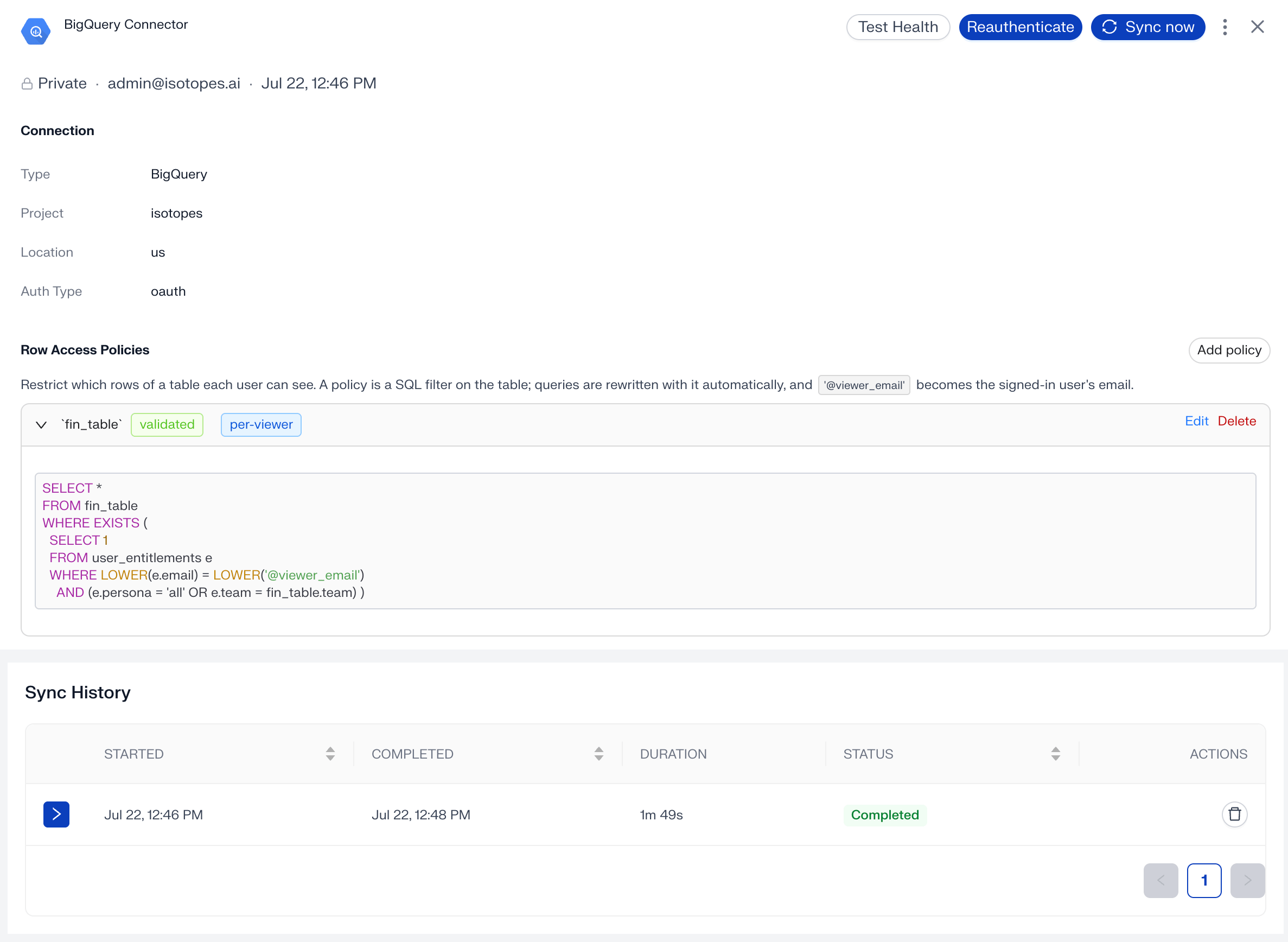
Admins define policies on the connector's detail page. Open the BigQuery connector from the **Connectors** page, find the **Row Access Policies** section, and click **Add policy**. Pick the table to protect and enter the filter as SQL:
```sql theme={null}
SELECT *
FROM fin_table
WHERE EXISTS (
SELECT 1
FROM user_entitlements e
WHERE LOWER(e.email) = LOWER('@viewer_email')
AND (e.persona = 'all' OR e.team = fin_table.team)
)
```
This policy lets a user see a row when they have the **all** persona or belong to the row's team. At query time, `'@viewer_email'` becomes the signed-in user's email.
## 2. Add a row access policy
Admins define policies on the connector's detail page. Open the BigQuery connector from the **Connectors** page, find the **Row Access Policies** section, and click **Add policy**. Pick the table to protect and enter the filter as SQL:
```sql theme={null}
SELECT *
FROM fin_table
WHERE EXISTS (
SELECT 1
FROM user_entitlements e
WHERE LOWER(e.email) = LOWER('@viewer_email')
AND (e.persona = 'all' OR e.team = fin_table.team)
)
```
This policy lets a user see a row when they have the **all** persona or belong to the row's team. At query time, `'@viewer_email'` becomes the signed-in user's email.
 Two things to note:
* The policy is stored in aidnn, not in BigQuery — no BigQuery row access policies or IAM changes are needed.
* aidnn applies the filter whenever the table is accessed.
## 3. Ask the same question as different users
### A team member sees only their team's rows
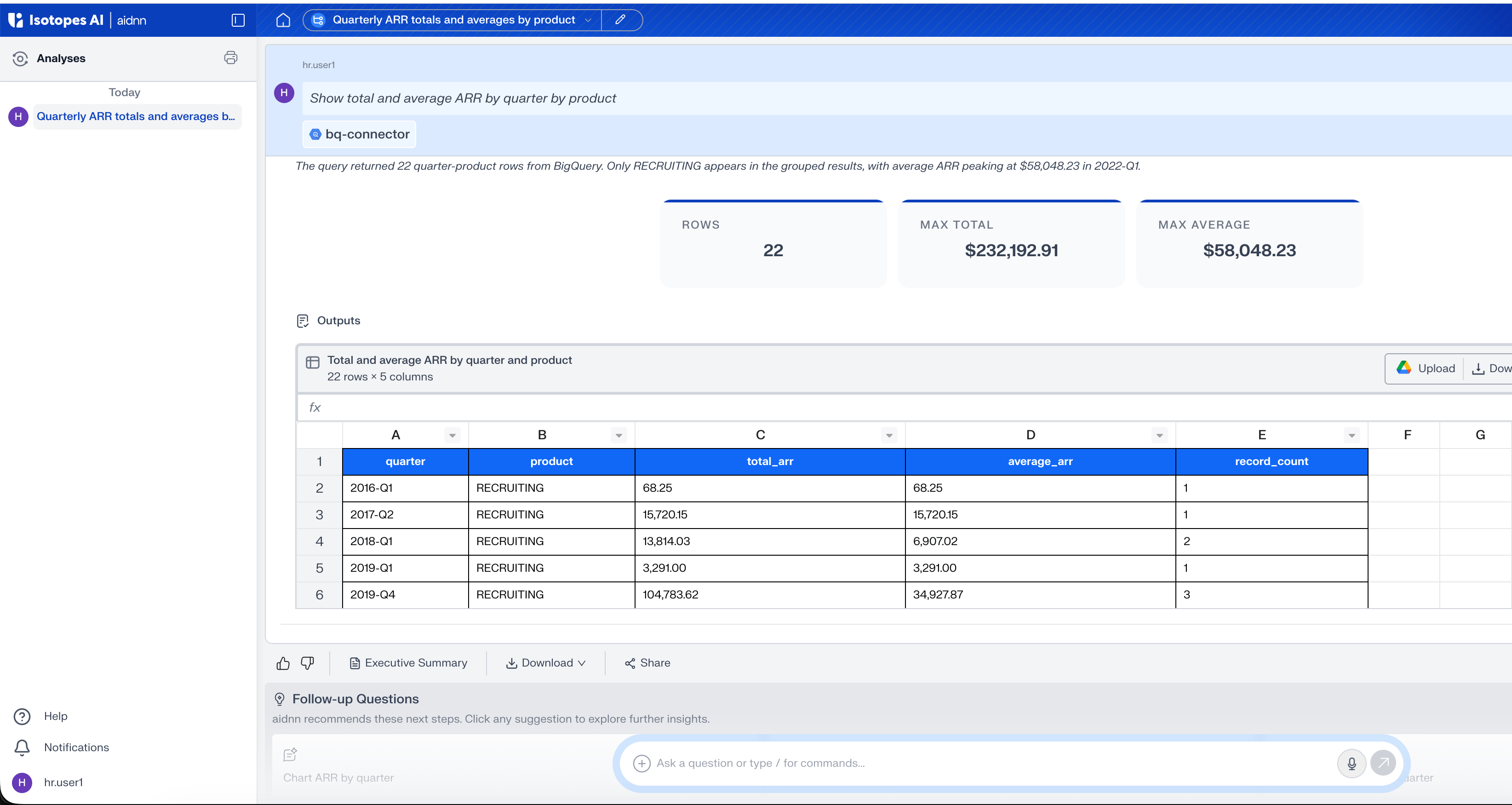
`hr.user1`, who belongs to the hr team, asks *Show total and average ARR by quarter by product* in a notebook. The policy filters `fin_table` down to hr's rows, so the answer covers only the RECRUITING product — 22 quarter-product rows.
Two things to note:
* The policy is stored in aidnn, not in BigQuery — no BigQuery row access policies or IAM changes are needed.
* aidnn applies the filter whenever the table is accessed.
## 3. Ask the same question as different users
### A team member sees only their team's rows
`hr.user1`, who belongs to the hr team, asks *Show total and average ARR by quarter by product* in a notebook. The policy filters `fin_table` down to hr's rows, so the answer covers only the RECRUITING product — 22 quarter-product rows.
 ### An "all" persona user sees everything
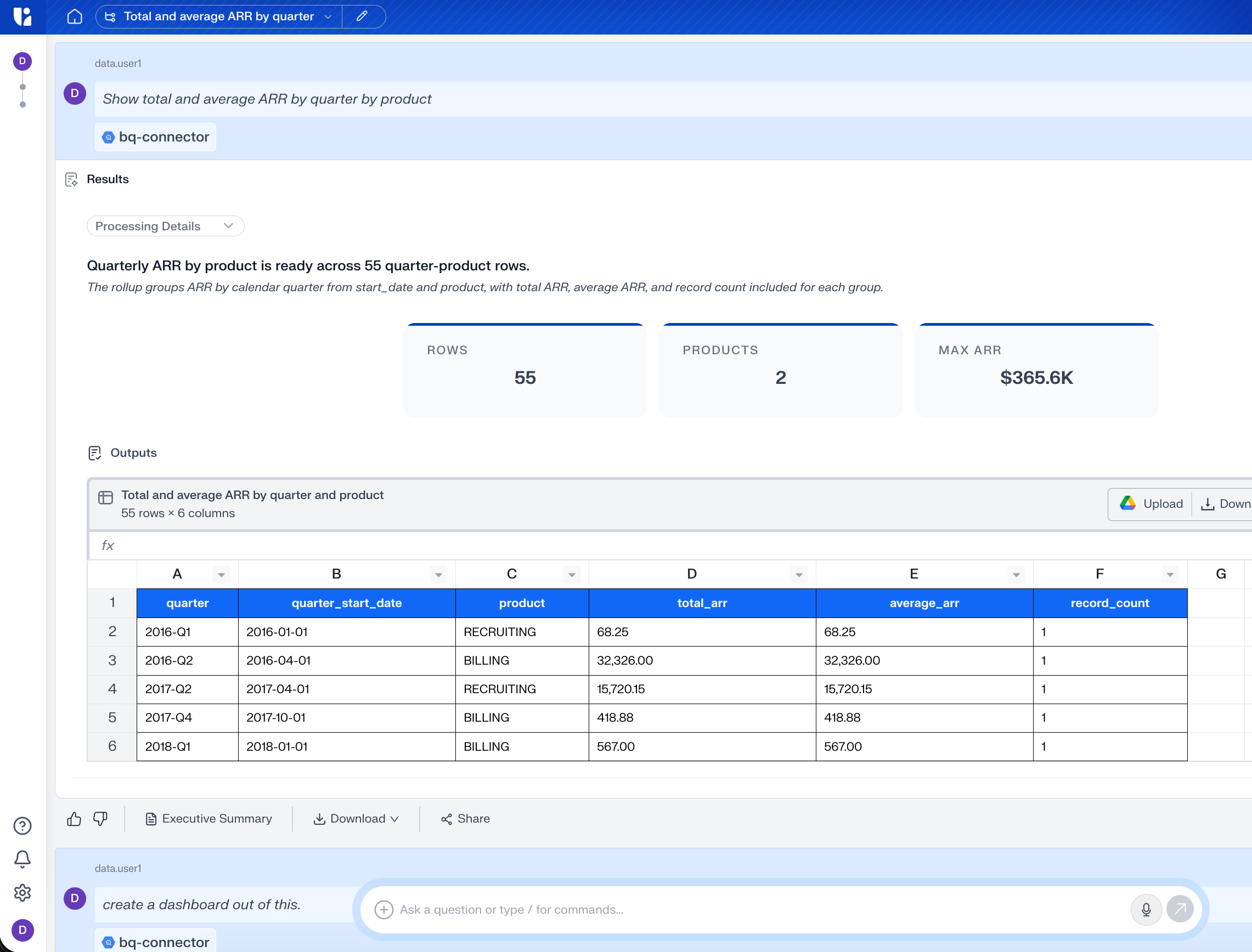
`data.user1`, who has the **all** persona and can see every row, asks the same question. Nothing is filtered out — the answer covers both BILLING and RECRUITING, 55 rows.
### An "all" persona user sees everything
`data.user1`, who has the **all** persona and can see every row, asks the same question. Nothing is filtered out — the answer covers both BILLING and RECRUITING, 55 rows.
 ## 4. Share a dashboard
Row access policies follow the data into published dashboards. The filter always runs against the viewer's entitlements — not the author's — so one shared dashboard shows each user a different slice.
### Step 1 - Create and publish the dashboard
`data.user1` asks aidnn to *create a dashboard out of this*. aidnn builds the **Quarterly ARR dashboard** from the full 55-row result, and `data.user1` publishes it.
## 4. Share a dashboard
Row access policies follow the data into published dashboards. The filter always runs against the viewer's entitlements — not the author's — so one shared dashboard shows each user a different slice.
### Step 1 - Create and publish the dashboard
`data.user1` asks aidnn to *create a dashboard out of this*. aidnn builds the **Quarterly ARR dashboard** from the full 55-row result, and `data.user1` publishes it.
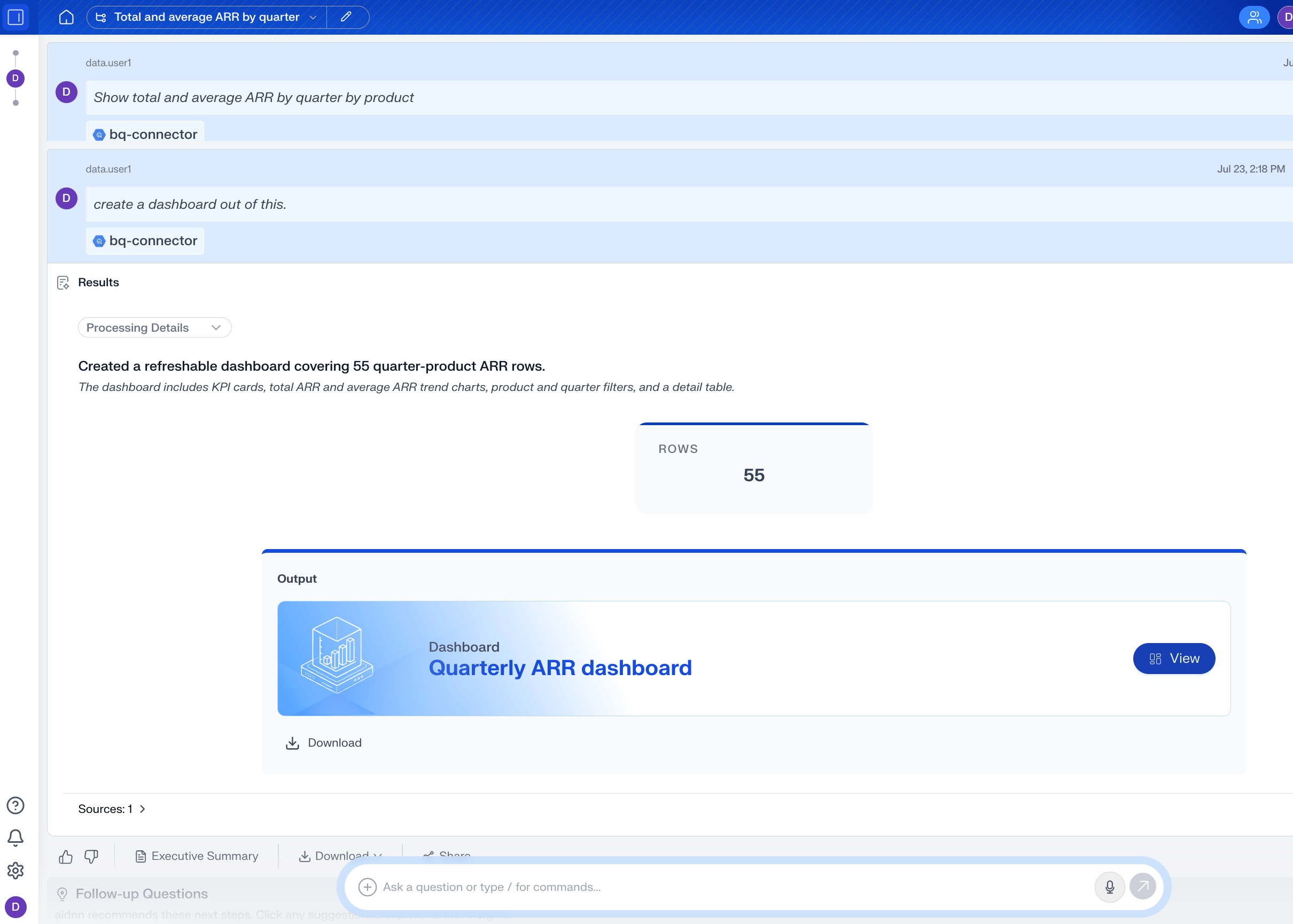 Viewing it, `data.user1` sees both products — all 55 rows.
 ### Step 2 - finance.user1 opens it and sees only finance rows
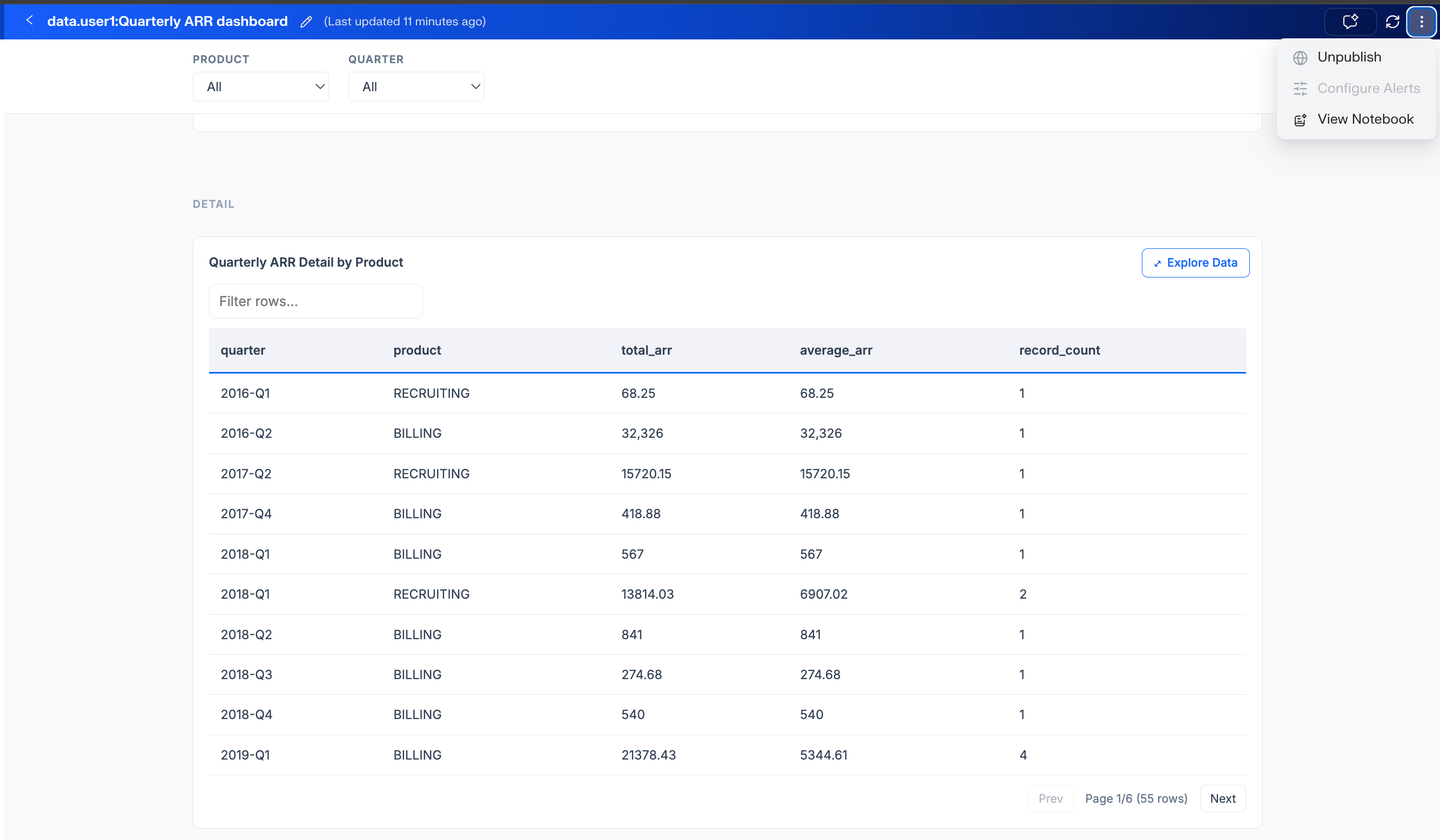
Published dashboards appear under the **Dashboards** section. `finance.user1` finds `data.user1`'s dashboard under **All Dashboards**.
### Step 2 - finance.user1 opens it and sees only finance rows
Published dashboards appear under the **Dashboards** section. `finance.user1` finds `data.user1`'s dashboard under **All Dashboards**.
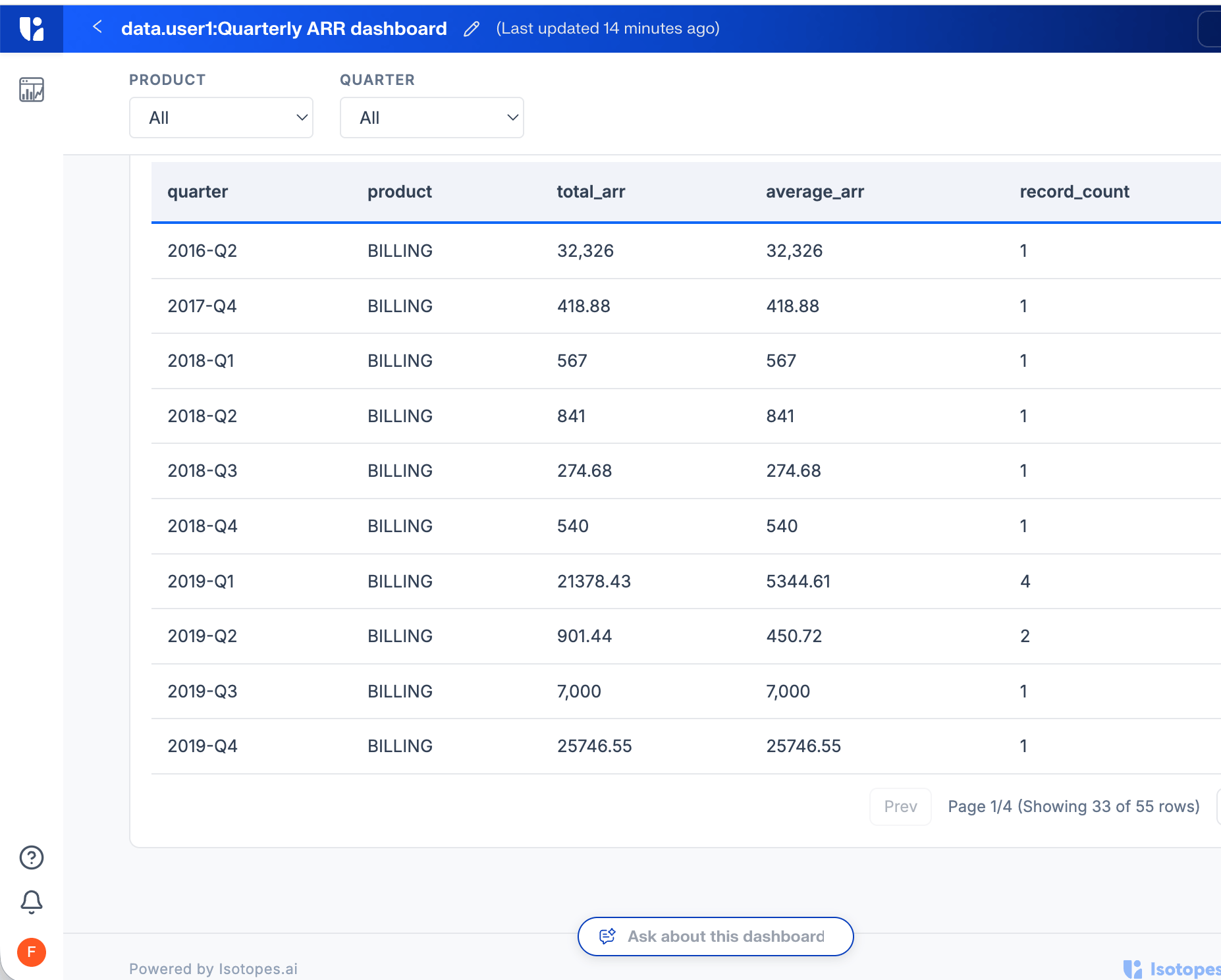
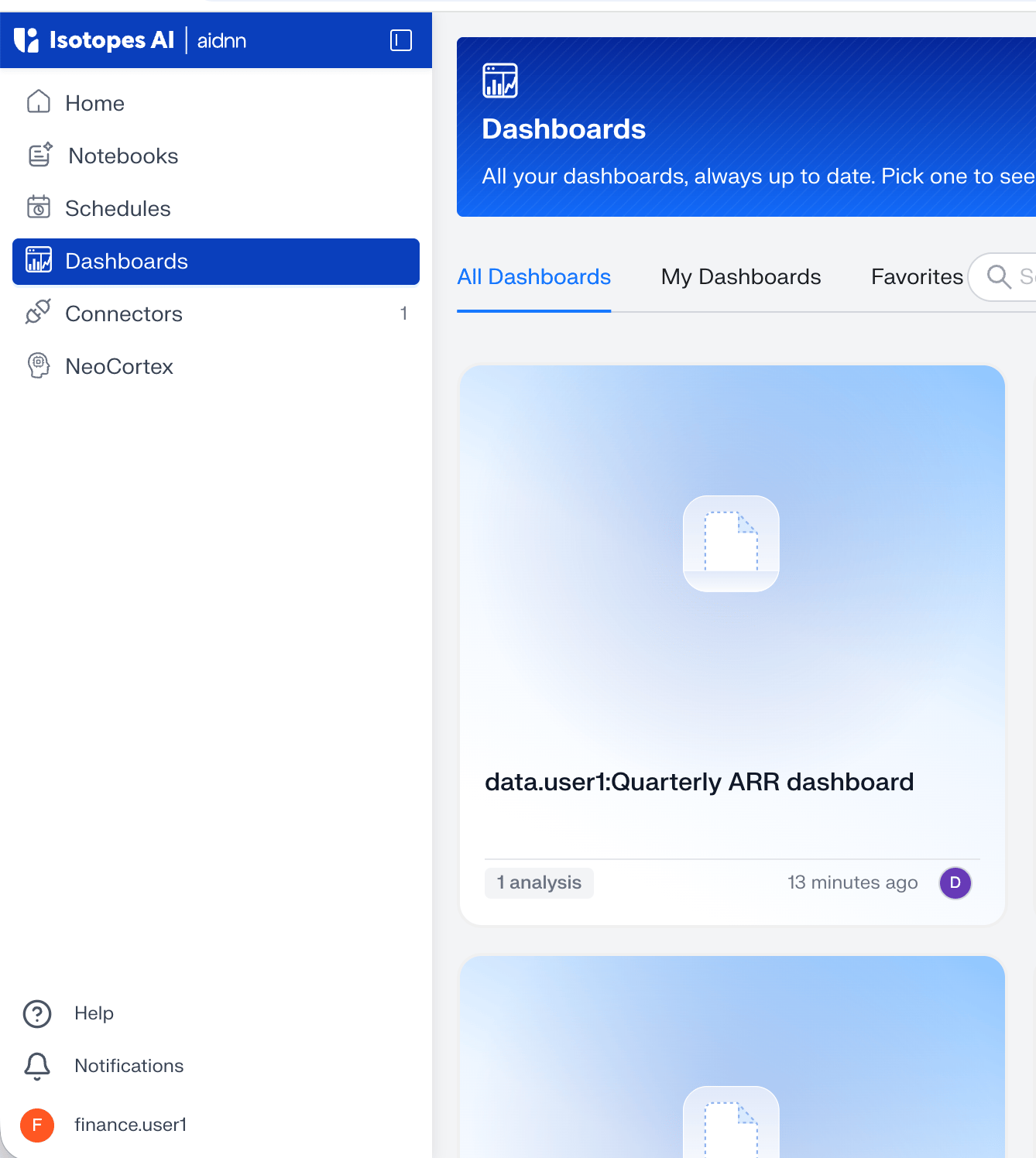 Opening it, `finance.user1` sees only the finance team's slice — BILLING rows, 33 of the 55.
 ### Step 3 - hr.user1 opens it and sees only hr rows
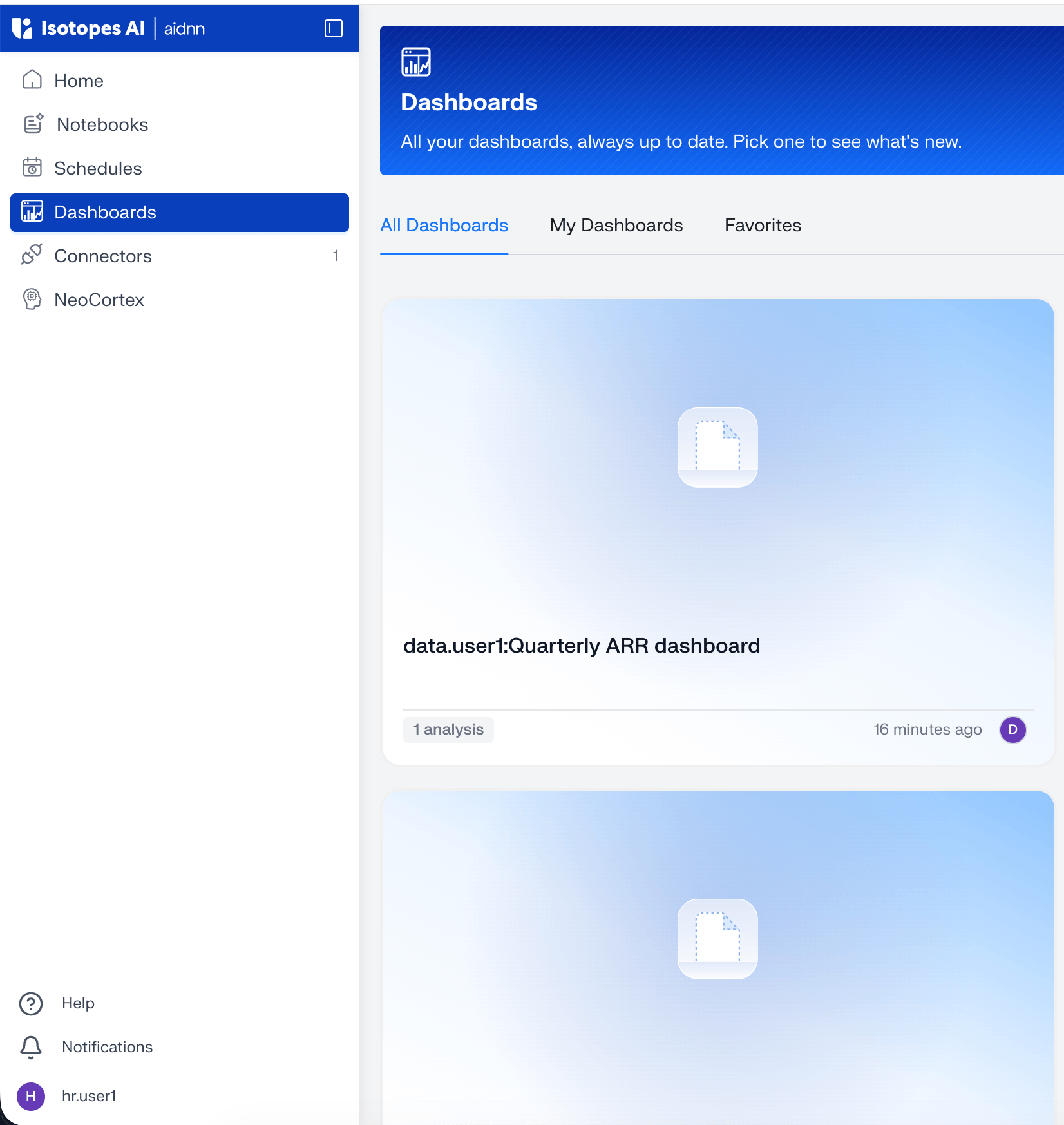
`hr.user1` finds the same dashboard under the **Dashboards** section.
### Step 3 - hr.user1 opens it and sees only hr rows
`hr.user1` finds the same dashboard under the **Dashboards** section.
 Opening it, `hr.user1` sees only RECRUITING rows — 22 of the 55.
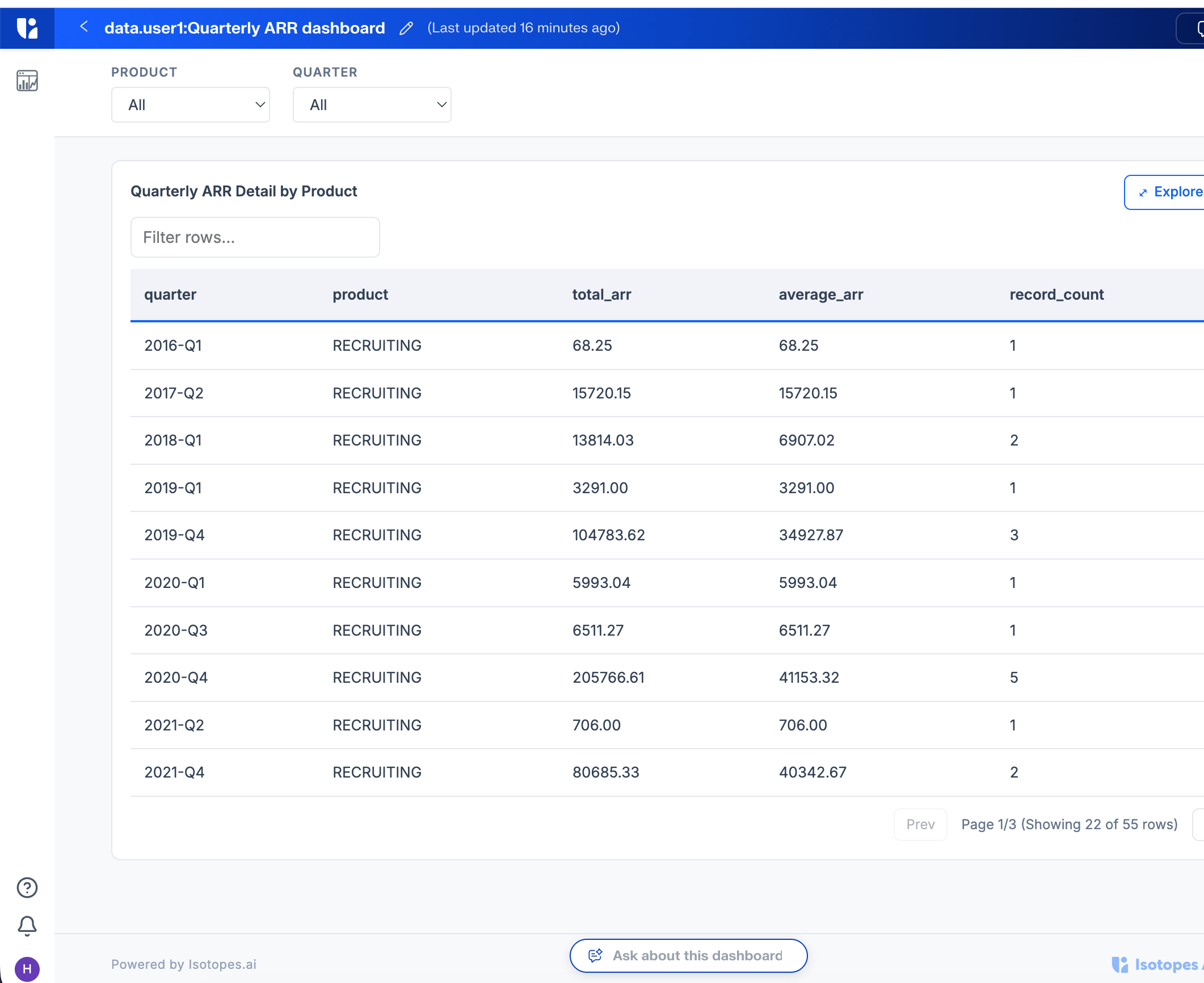 One dashboard, three users, three different views — each filtered by the row access policy against the viewer's own entitlements.
## Support
Please reach out to [support@isotopes.ai](mailto:support@isotopes.ai) for more details if you face any issues.
One dashboard, three users, three different views — each filtered by the row access policy against the viewer's own entitlements.
## Support
Please reach out to [support@isotopes.ai](mailto:support@isotopes.ai) for more details if you face any issues.