> ## Documentation Index
> Fetch the complete documentation index at: https://docs.isotopes.ai/llms.txt
> Use this file to discover all available pages before exploring further.
# Overview
Connectors
Connectors help you connect with your existing finance/accounting systems, databases or any other data source. The list below shows our GA (General Availability) connectors. For additional connectors or custom integrations, please reach out to [support@isotopes.ai](mailto:support@isotopes.ai):
**Databases**
* Snowflake
* BigQuery
* Amazon RDS/Aurora
* PostGres
* Metabase
**Finance/Accounting Systems**
* Quickbooks
* Netsuite
* Workday
* Salesforce
* Rippling
**File/Storage Systems**
* Google Drive
In the following section, you will find the detailed steps for setting up some of these connectors. We will keep updating these pages with documentation for additional connectors. However, if you do not find a connector or instructions to use a supported connector, please reach out to [support@isotopes.ai](mailto:support@isotopes.ai) for assistance.
To connect any particular system with aidnn, follow these steps:
* Go to Connectors page and click on “Add New Connector” as shown: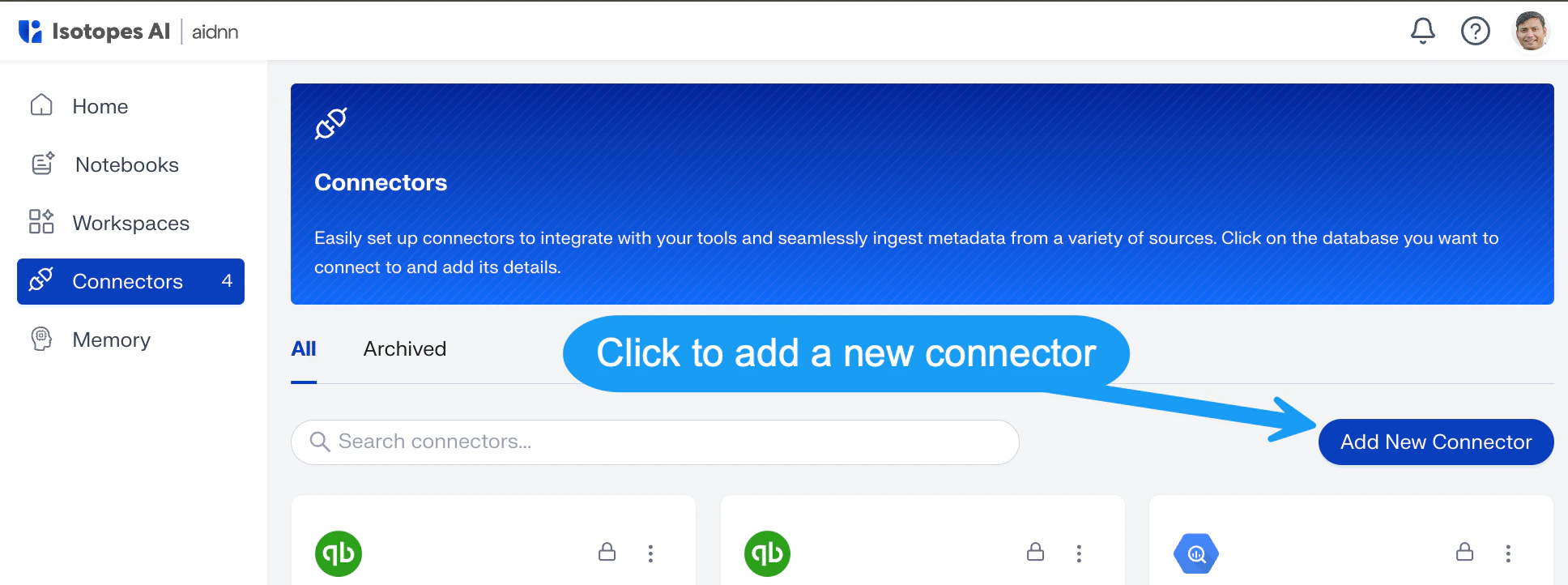 * From the resulting page select the type of connector you want to connect like Quickbooks, BigQuery etc. by clicking on the “Add” button below them as shown:
 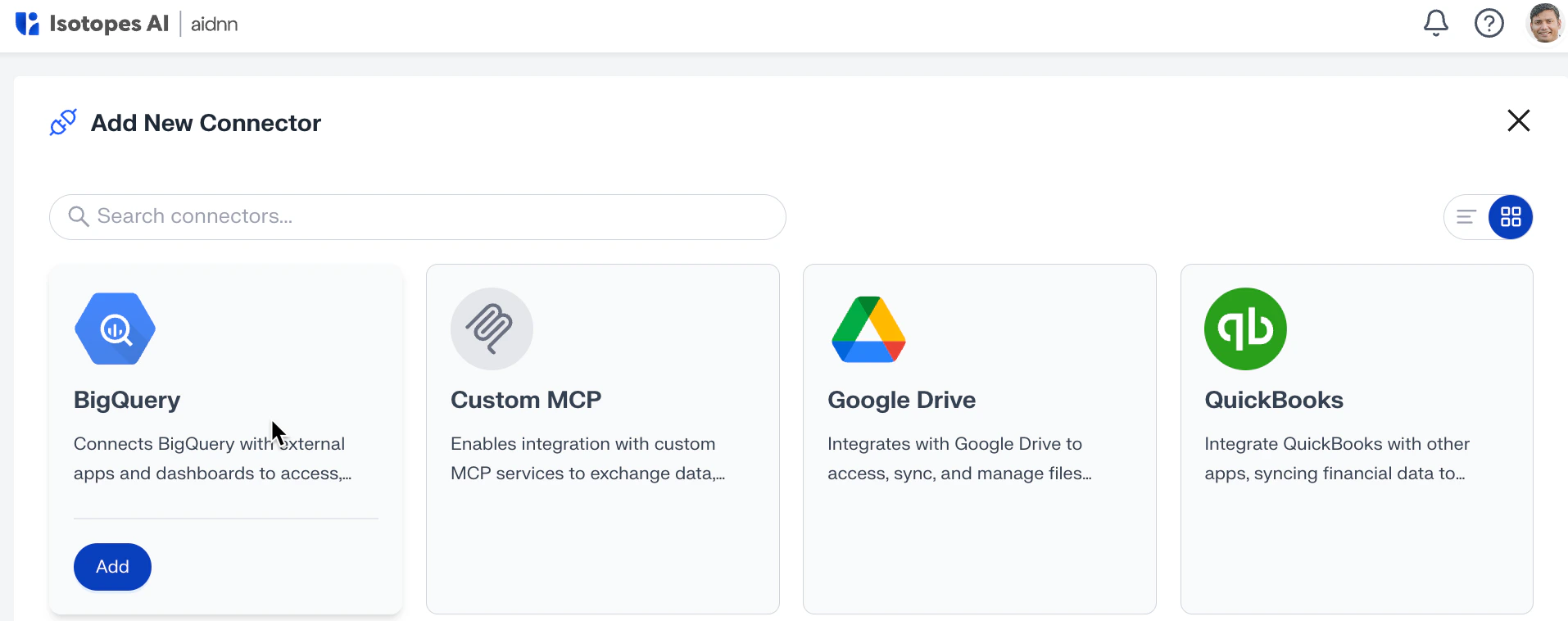 * Then follow the connector specific steps as outlined in the sections below.