- Accounting policy “Follow ASC606 principles for MRR calculations” Once that’s set, monthly MRR attribution follows the U.S. GAAP revenue-recognition standard automatically.
- Internal definition “Failed delivery tasks are tasks where the delivery_status field is null or false” Now every analysis using that field uses your definition, not a generic one.
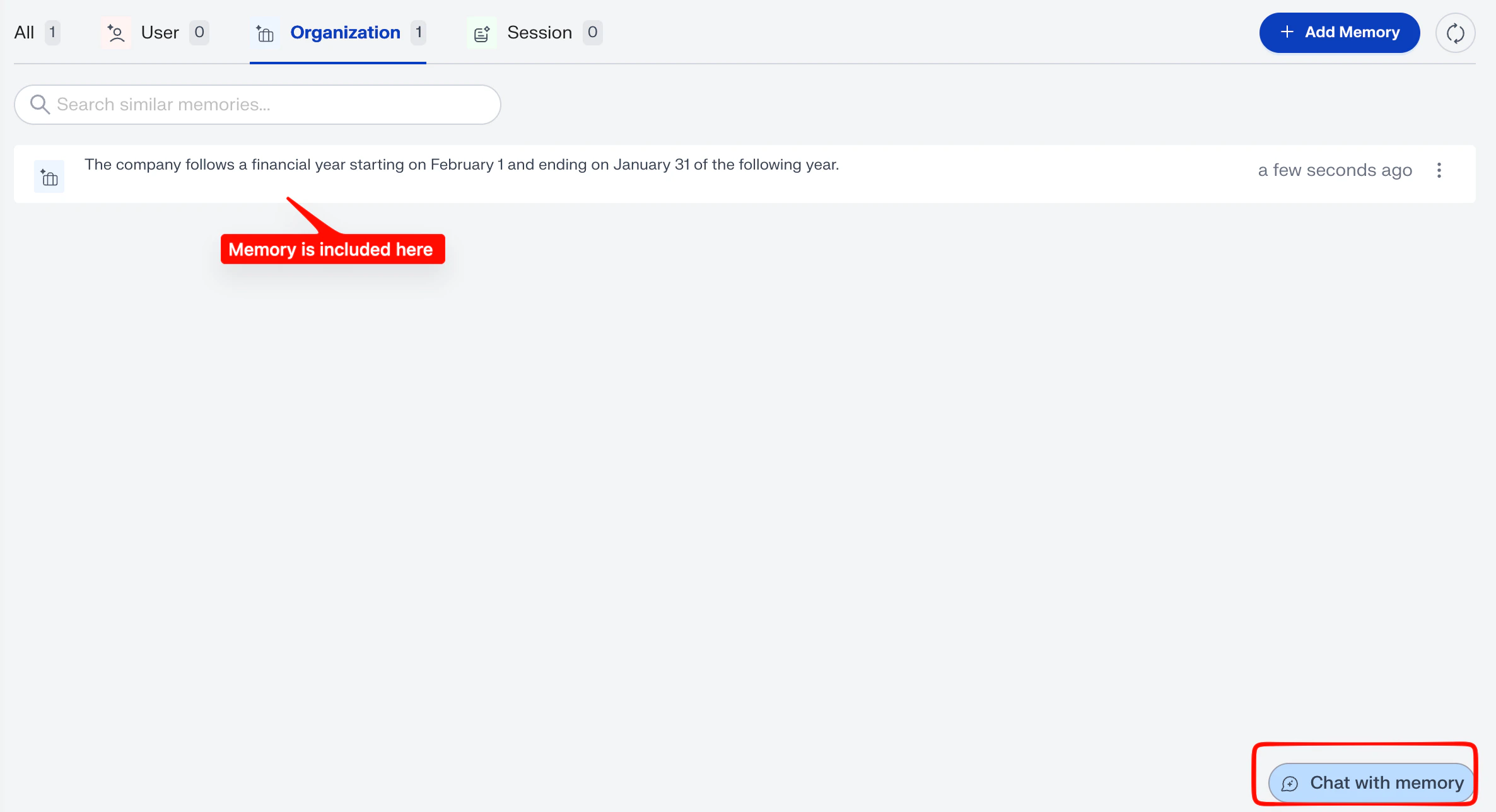
- Fiscal calendar “The company follows a financial year starting on February 1 and ending on January 31 of the following year” Date-based metrics roll up to your year, not the calendar year.
- Personal preference “When I ask for revenue, default to net revenue in USD” Applies just to your sessions.
What is NeoCortex?
NeoCortex is the layer that sits on top of Memory and orchestrates context for every analysis. It does two things:- Picks the right memories - every memory has a scope (session, user, or organization) and a weight. NeoCortex looks across all available memories, picks the ones relevant to your prompt and applies them automatically.
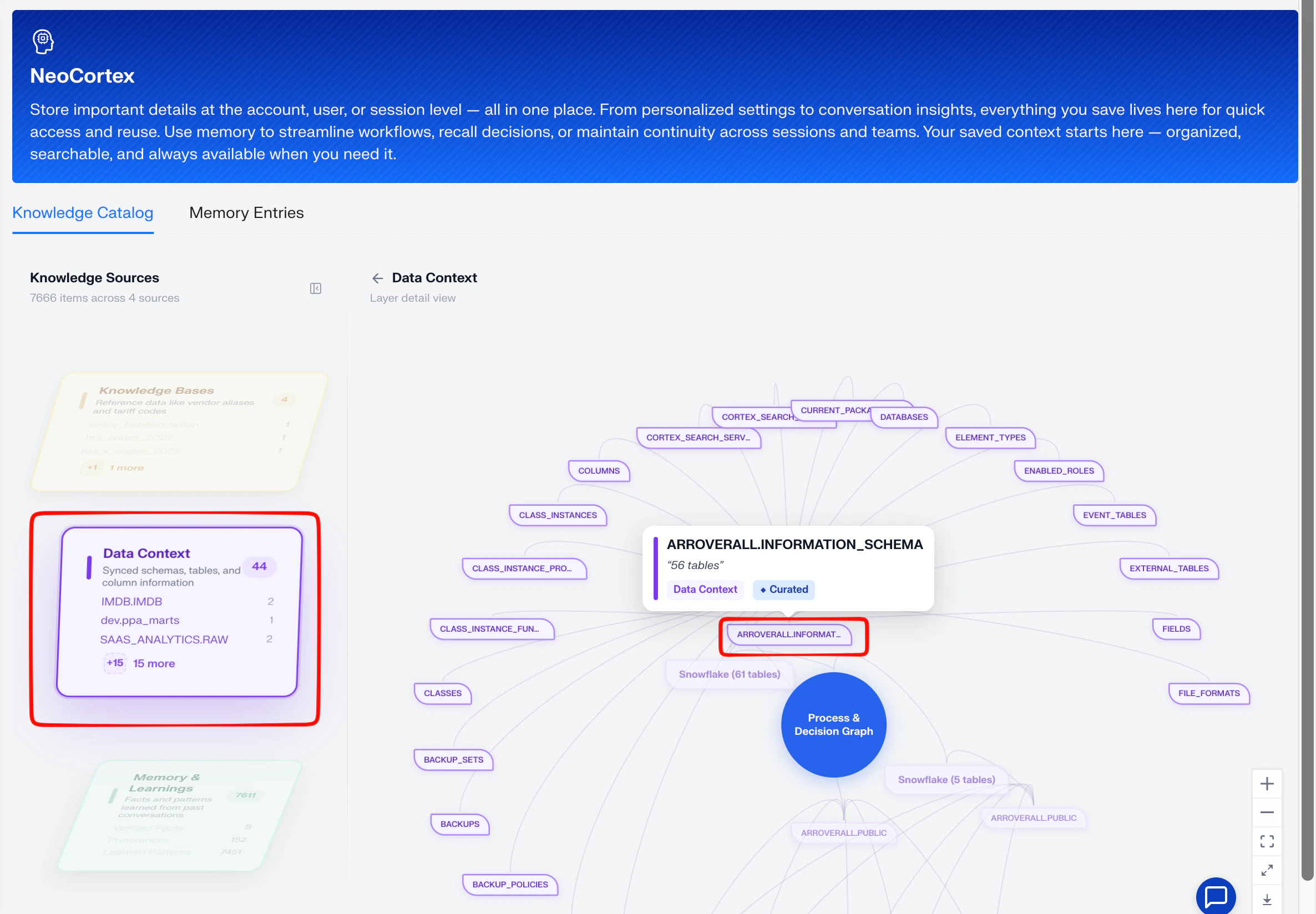
- Connects memories to your data context - NeoCortex maintains a map of the schemas, sources and decisions aidnn has learned about your business and uses that map to ground each memory in the right place.
Inside NeoCortex - the two views
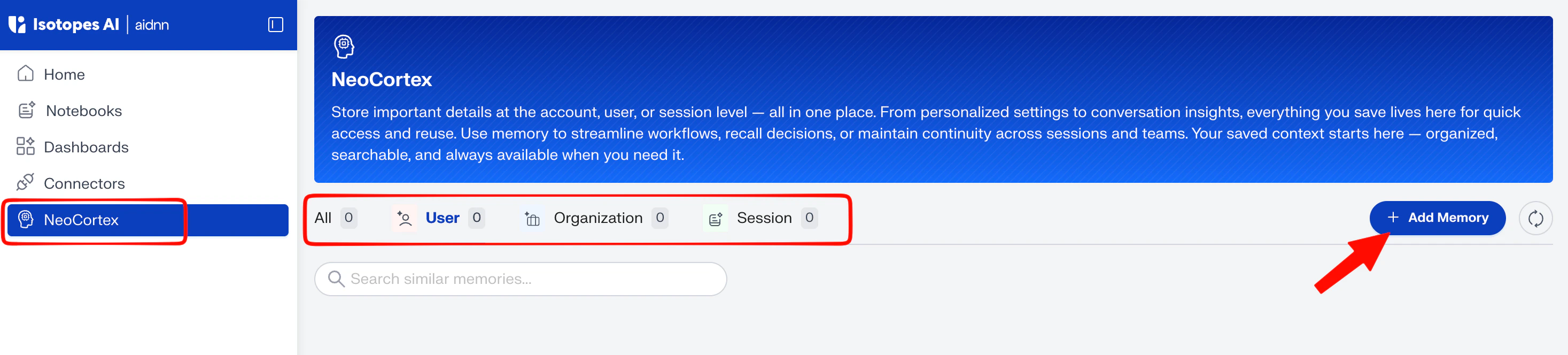
Open NeoCortex from the left sidebar. The page has two top-level tabs:- Knowledge Catalog - a visual map of what aidnn knows about your data. The Knowledge Sources sub-tab lists the connected sources, the Data Context sub-tab shows a graph of the schemas, fields, and decisions aidnn pulls from. This is what NeoCortex consults alongside your memories.
- Memory Entries - the memories themselves grouped by scope. This is where you add, browse, edit and delete memories.
How NeoCortex picks memories
- Scope first organization memories apply to everyone, user memories only to you, session memories only to the current session.
- Weight next memories you create manually as explicit instructions carry higher weight than memories captured automatically from analysis.
- Relevance to the prompt NeoCortex matches the active memories against what you’re asking and applies the ones that fit, grounded in the data context above.
- Admin control organization admins can promote, edit or remove memories so the layer stays accurate over time.
Browse memories
Inside NeoCortex open the Memory Entries tab to see every memory in your account grouped by level:- All - every memory, by type.
- User - memories that apply to you specifically.
- Organization - memories that apply to everyone in your org.
- Session - memories aidnn captured (or you added) during a single session.
Add a memory
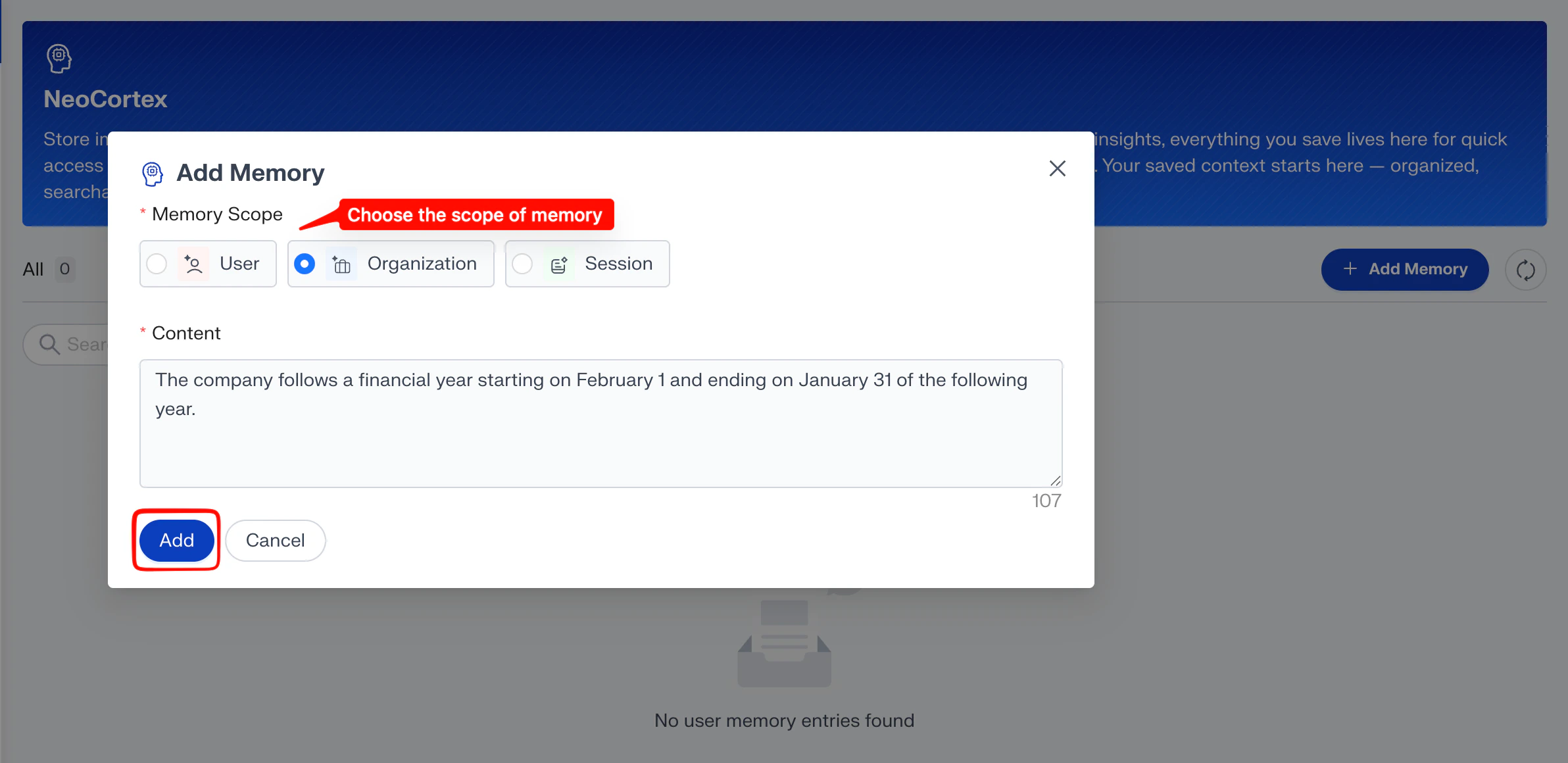
You can write memories as plain language instructions for aidnn to follow. Depending on the scope you choose, the instruction applies to just you, to a single session or to everyone in your organization.- On the Memory Entries tab, click Add Memory in the top-right corner.
- Type the memory or instruction in plain language — the same way you’d explain it to a teammate.
- Choose a Memory Scope: User — applies only to your account. Organization — applies to every user in your organization. Use this for company-wide definitions, policies, and guardrails. Session — applies only to the current session. Use this for one-off context that shouldn’t persist (for example, “for this analysis, exclude internal test accounts”).
- Click Add. From now on, NeoCortex factors that memory into every relevant analysis at the chosen scope.
Edit, delete, or promote a memory
Each memory in the list has a kebab menu (⋮) on the right side of the row. Open it to:- Edit — update the wording or refine the instruction. The new version applies on the next analysis.
- Delete — remove the memory entirely. NeoCortex stops applying it immediately.
- Promote (admins only) — raise an auto-captured user or session memory to organization scope so it applies to everyone, or move a session memory up to user scope.
Chat with Memory
To verify how aidnn’s response changes with memory, use the Chat with memory button in the bottom-right of the NeoCortex page