1. Add the BigQuery connector in aidnn
Open the Connectors page
From the aidnn home screen, click Connectors in the left sidebar.Start a new connector
Click Add New Connector in the top-right corner. You’ll see a grid of every available connector grouped by category.Pick BigQuery
Under Databases, select BigQuery. This opens the Add New BigQuery Service page.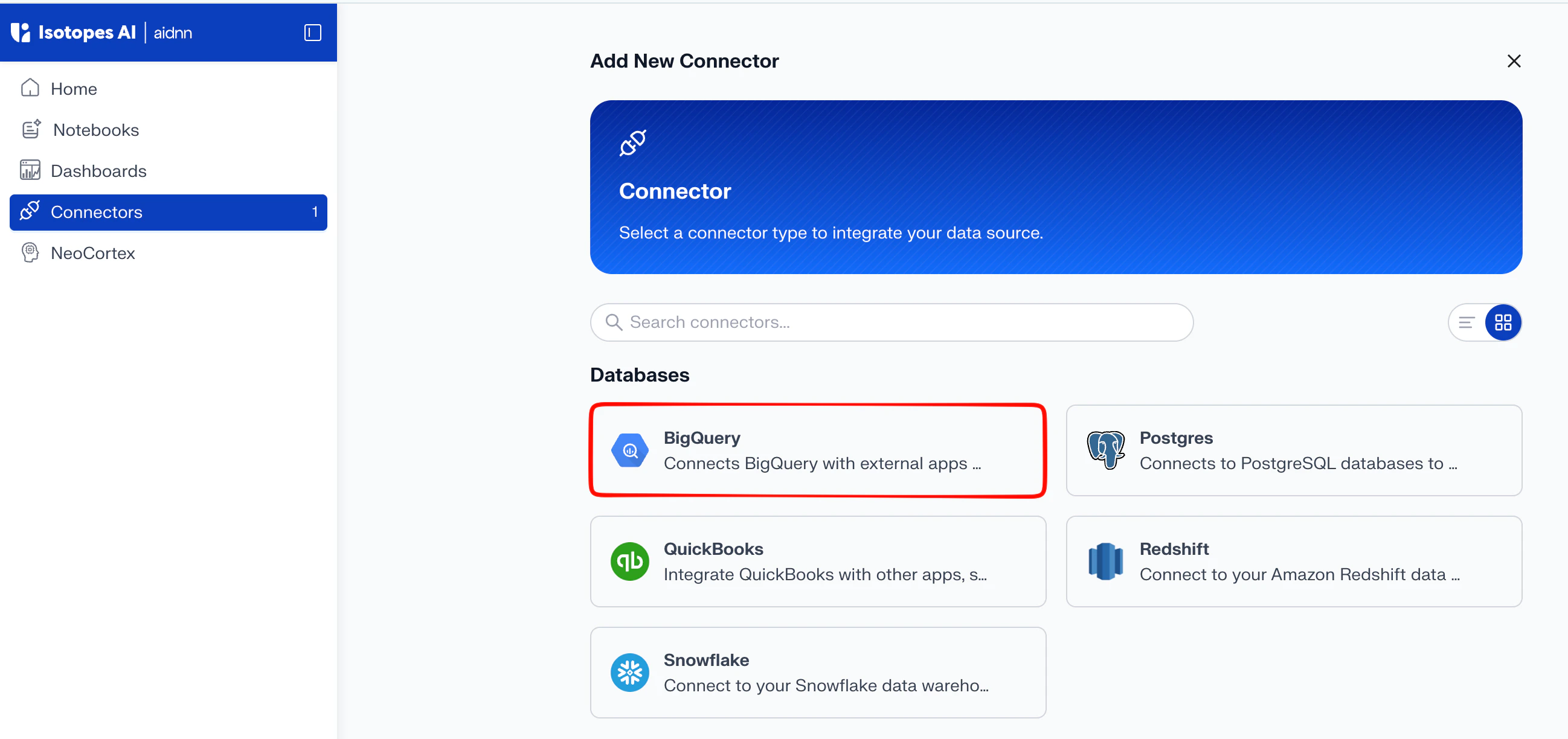
2. Fill in the connector details
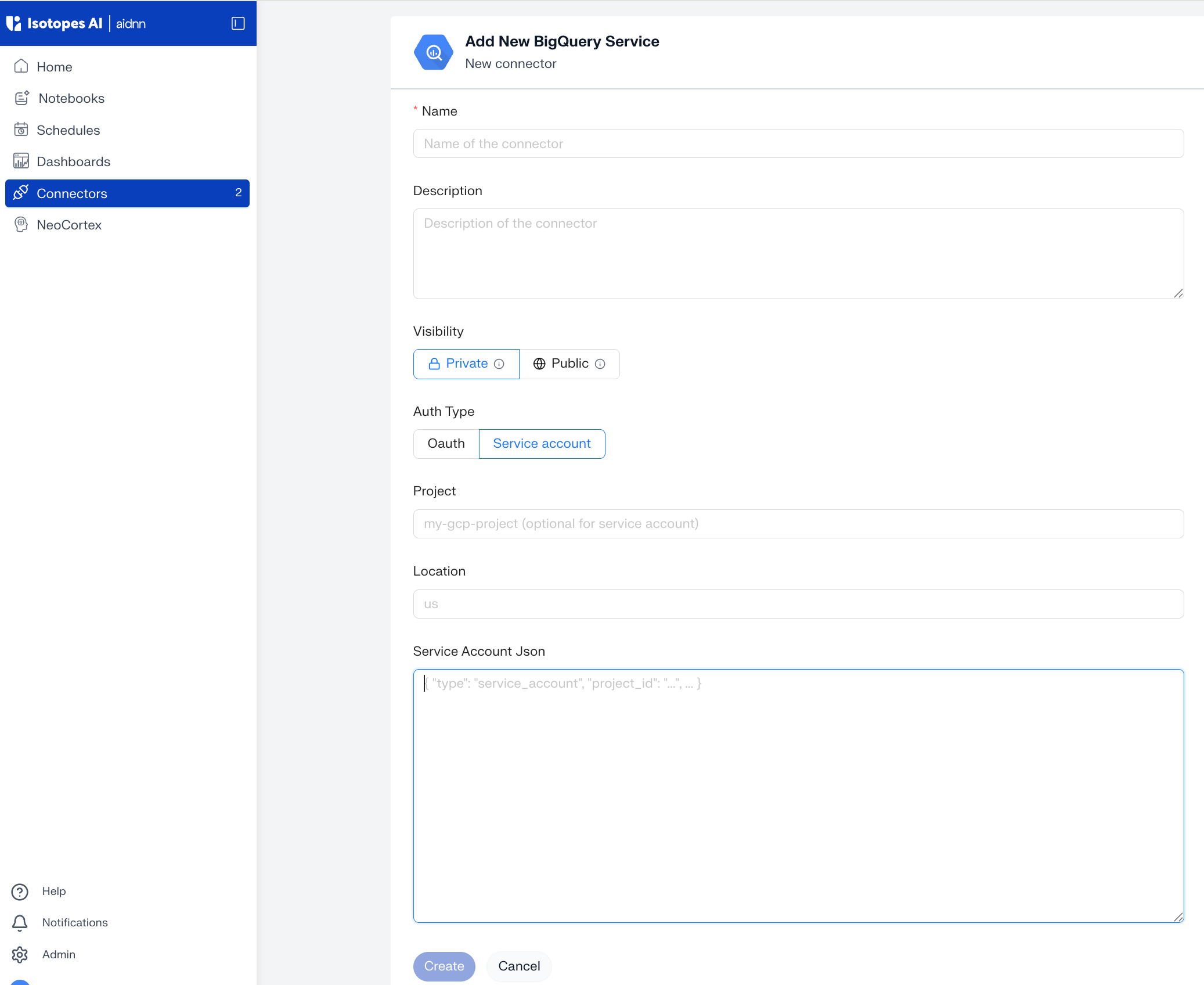
The Add New BigQuery Service form has two parts: identification (name, description, visibility) and authentication.General fields
- Name - a descriptive name; this is what shows up as the connector name once setup is complete (for example, “BigQuery – Analytics”).
- Description - optional, useful when you connect more than one BigQuery project.
- Visibility - Public (everyone in your org can use it) or Private (only you).
Add the service account details
- Auth Type - select Service account to authenticate with a Google Cloud service account key. (The other option is Oauth.)
- Project - your Google Cloud Project ID (for example, my-gcp-project). Optional with a service account — aidnn reads the project from the key.
- Location - the location of your BigQuery datasets (for example, us or europe-west1).
- Service Account Json - paste the full contents of the service account JSON key, which starts with
{ "type": "service_account", "project_id": "...", ... }. The service account needs read access to the datasets you want to query — the BigQuery Data Viewer and BigQuery Job User roles are sufficient.
3. Create the connector
Once the fields are filled in, click Create. aidnn saves the connector and takes you to its detail page.4. Sync metadata
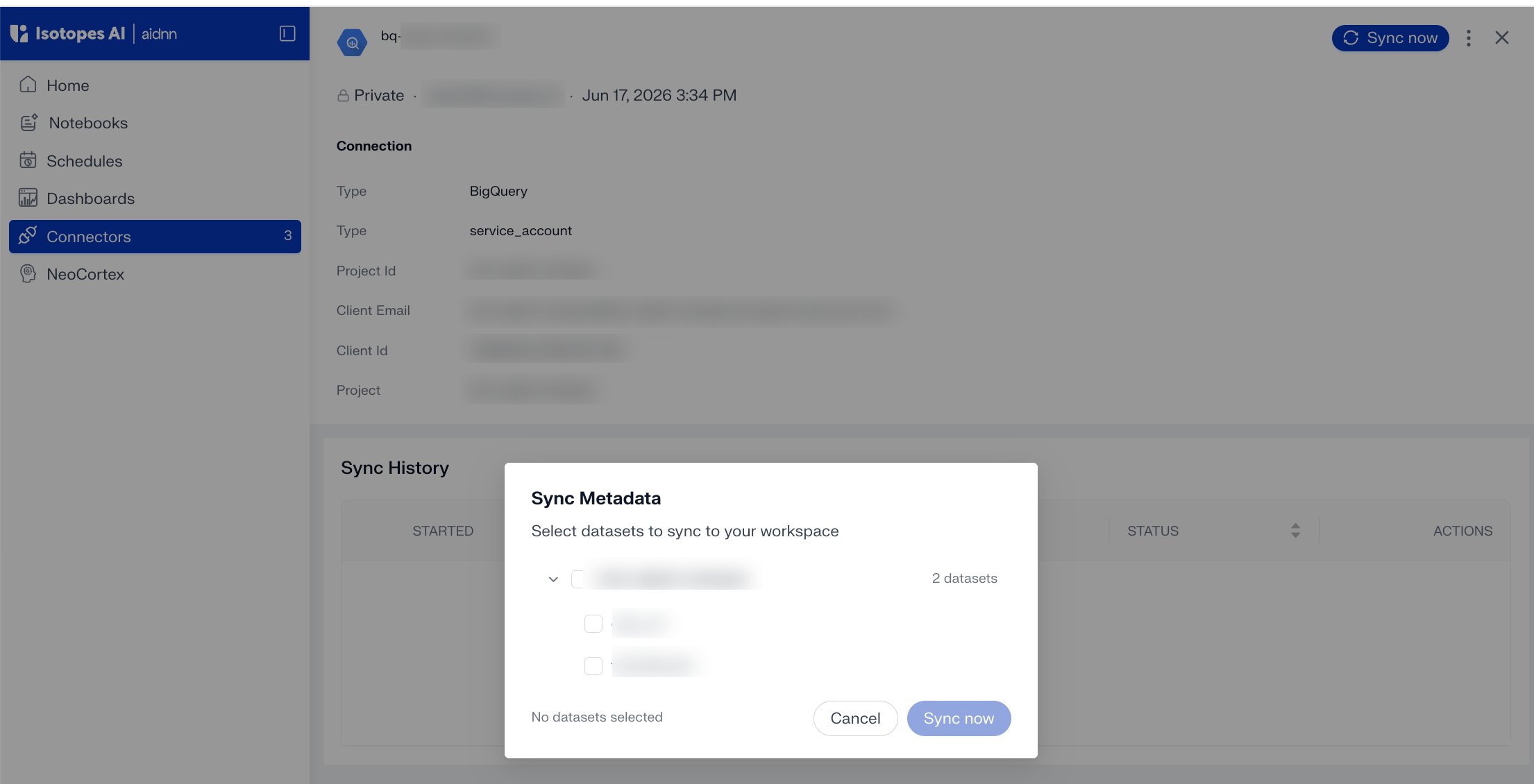
A new connector starts with nothing synced — the Sync History on the detail page is empty. Syncing tells aidnn which datasets to pull metadata from so notebooks can query them.Step 1 - Click Sync now
Click Sync now in the top-right of the detail page.Step 2 - Pick the datasets to sync
A Sync Metadata panel lists the datasets aidnn discovered in your project. Check the datasets you want to make available, then click Sync now.